

AI scribe for relief veterinarians: A different clinic every shift. The same scribe in your pocket.
Bittsi Scribe writes the SOAP note while you talk, on your own phone. Before you leave, type a six-digit code into any clinic computer and the day’s notes are there, formatted for the software that clinic runs. No login to their system, nothing to install, and nothing stays on that computer.
What every practice manager asks, answered
- Nothing to installThe clinic opens one web page. That is the whole setup.
- No login to their PIMSYou record on your phone. Their team pastes into their own system.
- View-only, and it ends itself15 quiet minutes, 60 at most, or the moment you end it.
- Works with any PIMSBecause it does not integrate with one.
You learn a new PIMS at eight in the morning, and by five you are almost fluent. Tomorrow it is a different one. The medicine never changes. The software always does. So the notes get scribbled between rooms and typed up after hours, in a system you may never see again, and the clinic that booked you ends up with a thinner record than you would ever leave at a practice of your own.
From the first appointment to the front desk, in four moves.
- 01
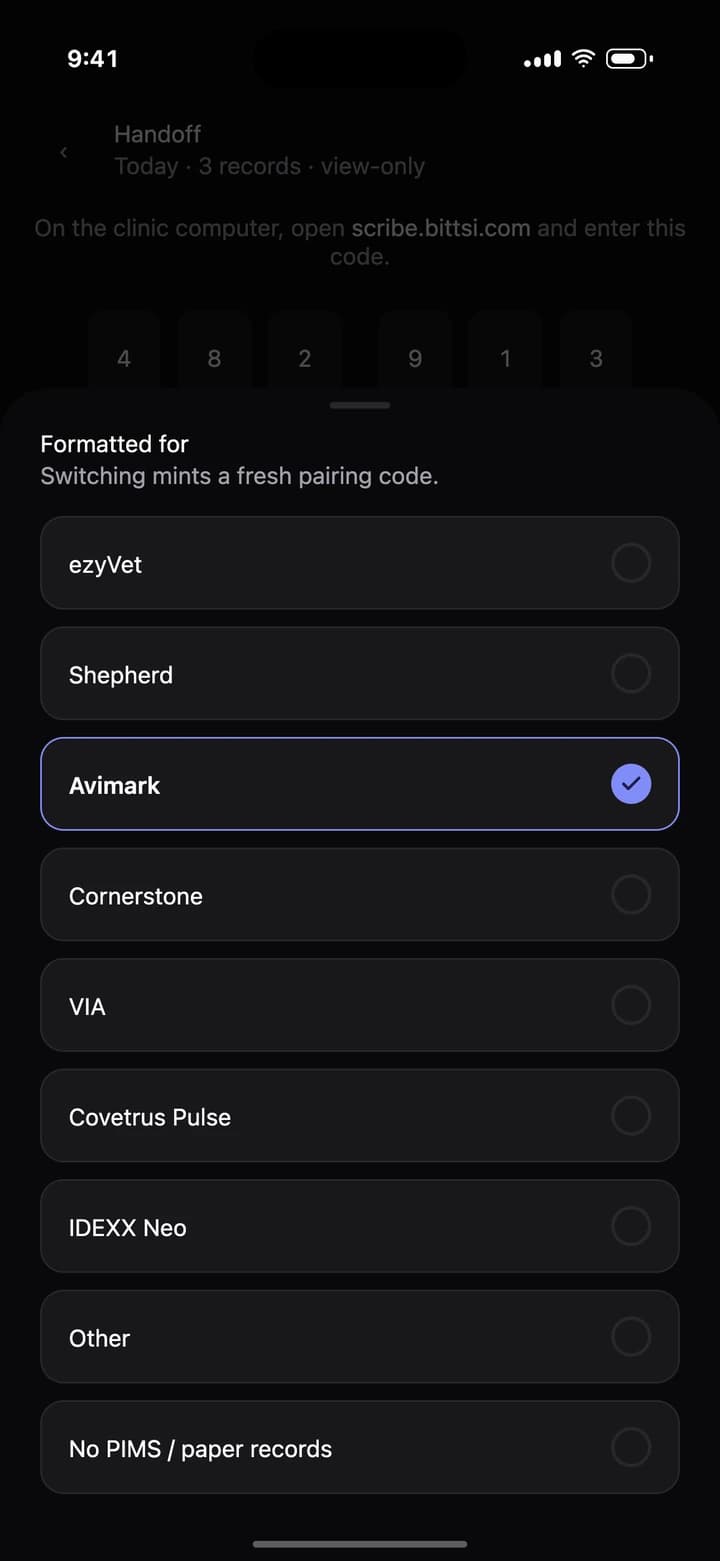
Tell it which system today's clinic runs
ezyVet, Shepherd, Avimark, Cornerstone, VIA, Covetrus Pulse, IDEXX Neo, something else, or paper records. At the next clinic, change it on the handoff screen in one tap.
- 02
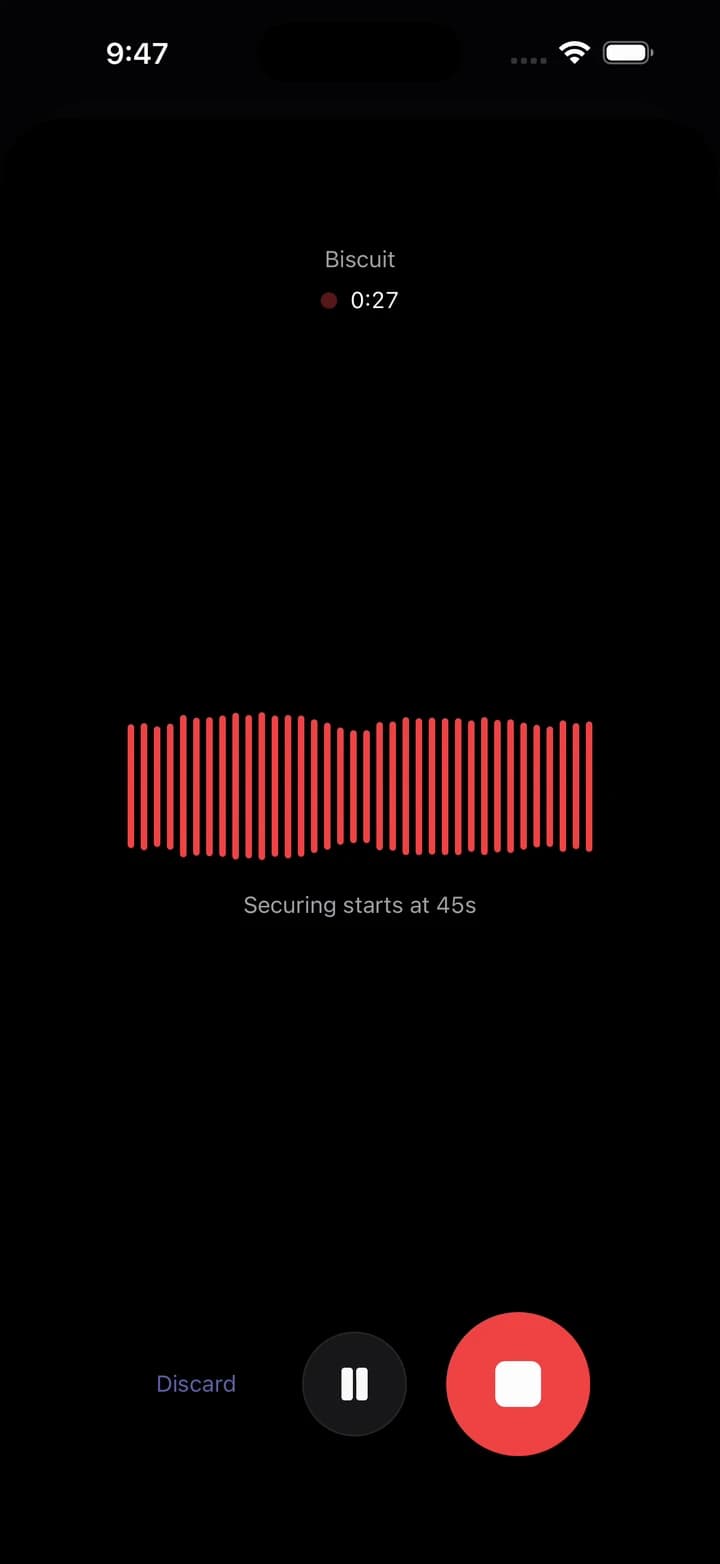
Talk through the visit
Record on your own phone and work the way you always do. Audio is secured to the server every 45 seconds, and if the clinic Wi-Fi drops, recording carries on and uploads when you are back online.
- 03
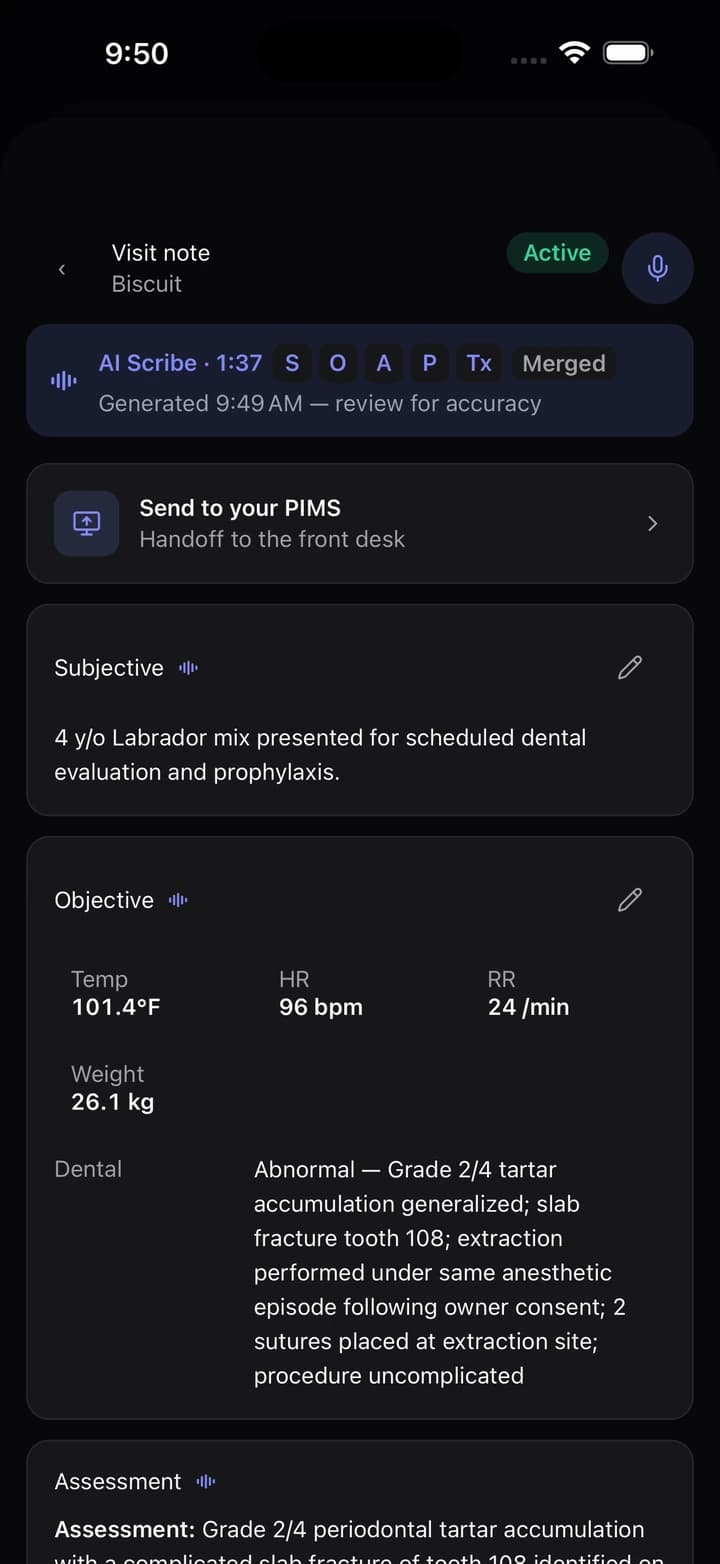
Read the note, change what you like
Subjective, Objective, Assessment and Plan in clinical language, with the drugs and doses you said out loud. Billable items are listed beside the note, so the clinic can invoice everything you did.
- 04
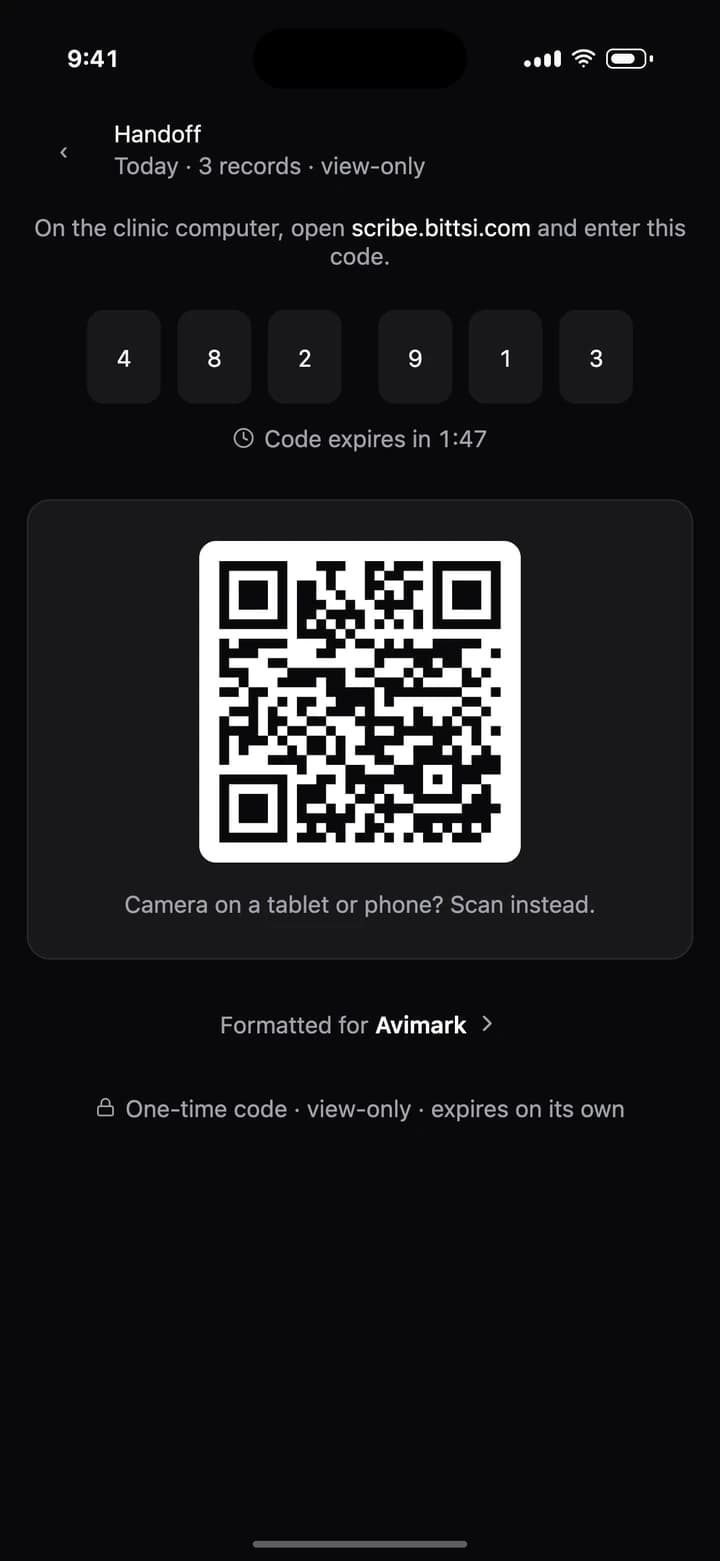
Hand off before you leave
On any clinic computer, open scribe.bittsi.com and type the six-digit code from your phone, or scan the QR code with a tablet. The code lasts two minutes and works once.
- Phone rings mid-visit?
Recording pauses for the call and resumes on its own.
- No computer at the front desk?
Share any single note as text, straight from your phone.
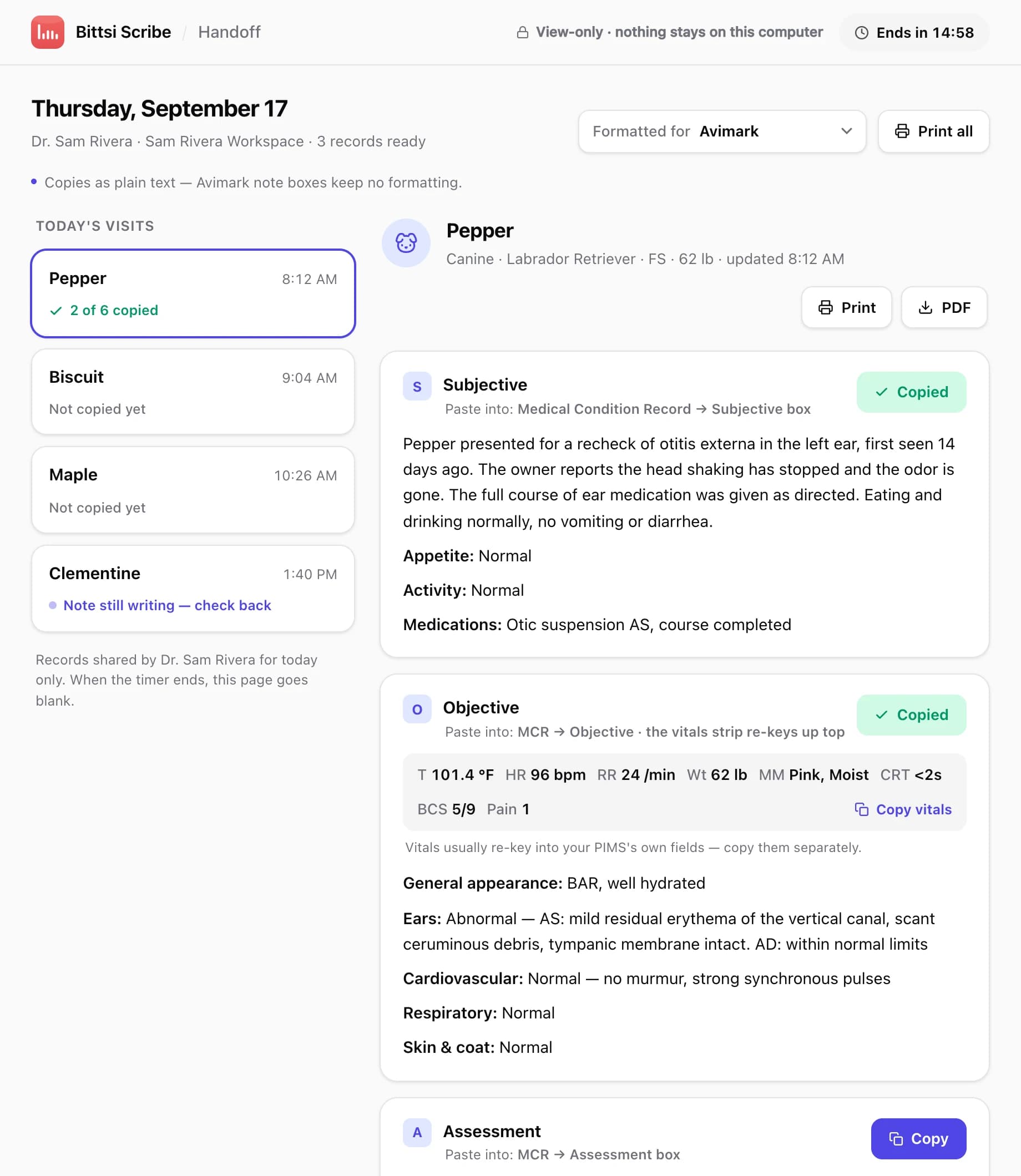
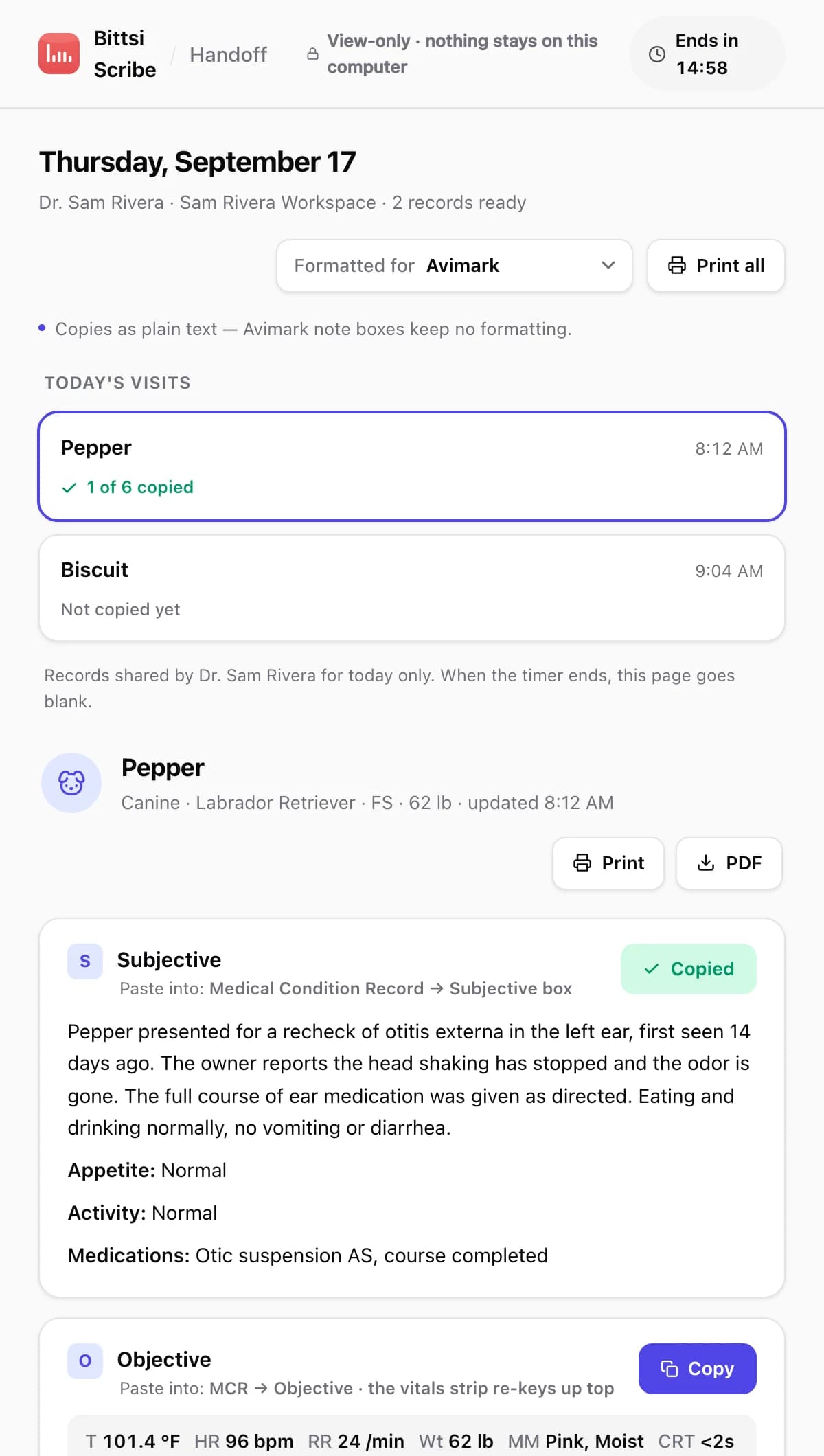
The live page at scribe.bittsi.com, shown with sample patients. Two sections already copied into Avimark.
Their system. Their chart. Your notes, ready to paste.
The handoff page already knows which PIMS you picked, so every section copies in the shape that system accepts and says exactly where it goes. If you picked the wrong one, the front desk can change it on the page.
Paste targets in their own vocabulary
In Avimark the Subjective goes to the Medical Condition Record, Subjective box. In ezyVet it goes to the History record. The page says so, section by section.
One section, one button
Subjective, Objective, Assessment, Plan, dental summary, anesthesia record, discharge instructions and the charge list each copy on their own. Vitals copy separately, because most systems re-key them.
Print it, or save a PDF
One visit or the whole day. For paper-record clinics, or a clinic that wants a copy on file.
It ends by itself
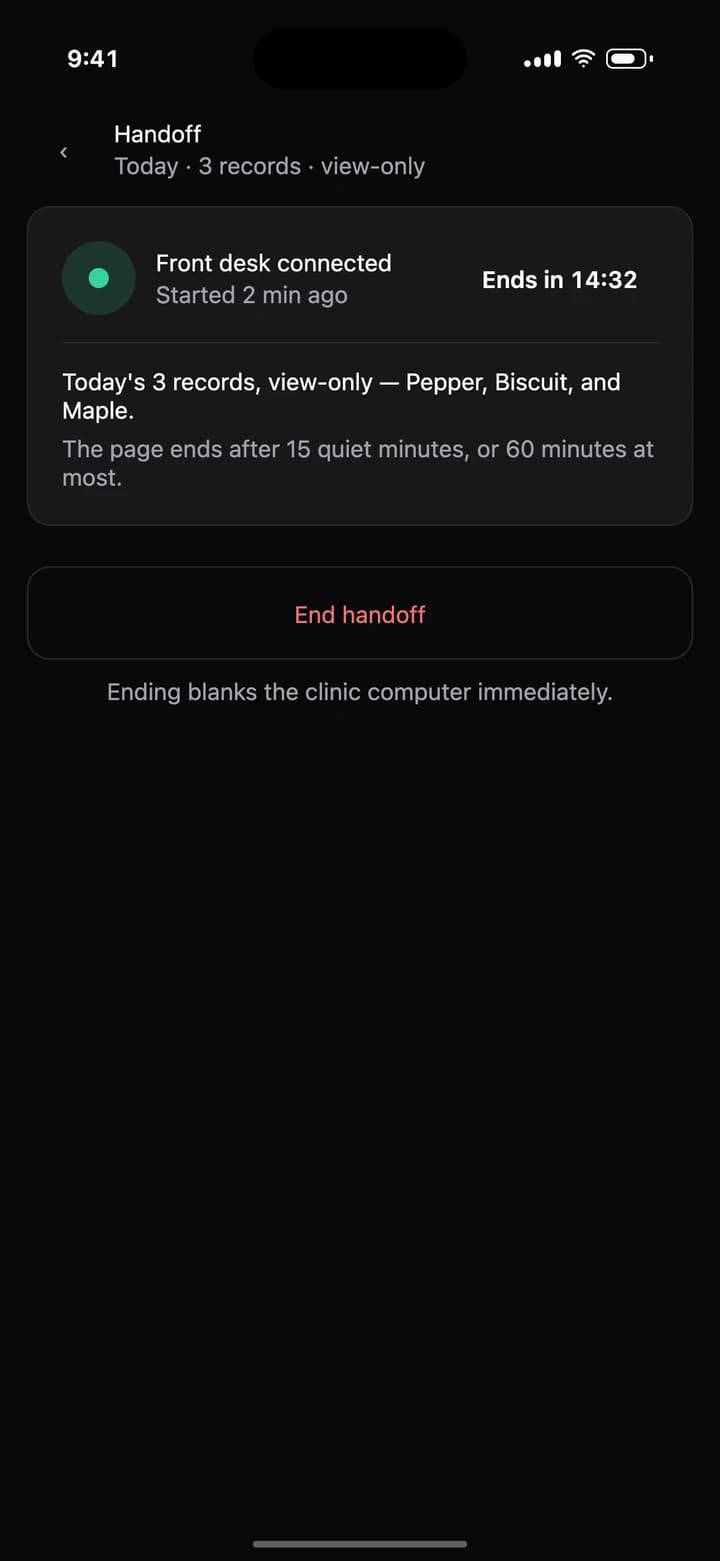
View-only, today's records only. The page goes blank after 15 quiet minutes, after 60 minutes at most, or when you tap End handoff on your phone.
Paste formats on the page today
- ezyVet
- Shepherd
- Instinct
- Cornerstone
- Avimark
- Impromed
- VIA
- Digitail
- Covetrus Pulse
- IDEXX Neo
- Provet Cloud
- Nectar
- Vetspire
- DaySmart Vet
- Rhapsody
- plain text for every other one
Named for identification only. No partnership, endorsement or integration is implied. The handoff is a plain web page, which is exactly why it works everywhere.
What to tell the practice manager.
The first time you use it, someone will ask what that page on their computer is. Fair question. Here is the short version, written so you can send it ahead of your shift.
Complete records, the same day
The note is written from the visit itself, not from memory after closing.
Every billable item, listed
The charge list rides along with each note as a reference for invoicing. Nothing posts to your system on its own.
No IT ticket
No software, no account, no integration. A web page and a code.
Hi, a quick note before my shift. I write my medical records with Bittsi Scribe, an AI scribe that runs on my own phone. At the end of the day I open one web page on a clinic computer (scribe.bittsi.com) and enter a one-time code from my phone. Your team can then copy each note into your practice software, section by section, or print it. Nothing is installed, nobody needs an account, the page is view-only and it closes on its own within the hour. You get complete records and an itemised list of billable items before I leave. I follow your clinic's policy on recording in the exam room. More detail: https://bittsi.com/relief
You hold the off switch.
While the front desk is connected, your phone shows the countdown and an End handoff button. Tap it and their screen goes blank.
Try it on a real shift for free. Then do the math.
Every account starts with 14 days of Pro and no card. After that, Free covers 15 visits a month, which is roughly one busy shift, and the handoff stays included. If relief is your living, Pro is $99 a month, or $79 a month billed yearly.
- Trial
- 14 days
- of Pro, no card
- Free
- 15 visits
- a month, handoff included
- Pro
- $99
- a month, or $79 billed yearly
A visit is one recording. Pro adds unlimited visits, voice dental charting, voice anesthesia records, a priced charge sheet and Sage clinical answers with citations. Working as an independent contractor? Software you use for work is often deductible. Ask your accountant.
Arithmetic, not a promise. We do not publish time-saving numbers. Time yourself on a real shift and decide. Pro is $99 a month, or $79 a month billed yearly.
The rest of the shift, covered.
- PRO
A second opinion, mid-shift
When you are the only doctor in the building, ask Sage a clinical question and get an answer with citations you can follow. Meet Sage
- PRO
Dental and anesthesia, by voice
Say the tooth and the finding, or call out drugs and vitals as you go. You review every entry before it lands.
Discharge instructions from the visit's own note
In a professional, friendly or simple tone, as a PDF you can share from your phone.
Billable items, caught as you talk
Every service and product you mention is listed beside the note. On Pro, the app prices them against your own fee schedule.
Their patients. Your phone. What happens to the data.
Plain enough to repeat to a practice manager, word for word.
- Raw audio is deleted after 3 days. Recordings and transcripts are processed by our AI providers to write the note.
- The front-desk page is view-only and shows today's records only. It stores nothing on that computer and ends on its own.
- You review every note before anyone else sees it. Nothing is billed automatically.
- Recording consent is your call and the clinic's. Follow their policy and the rules where you practise.
- Your account, your data. Export everything, or delete your account and its data, from the app.
Straight answers.
Does the clinic need to install anything or create an account?
No. The front desk opens scribe.bittsi.com in any browser and types a six-digit code from your phone. Nothing installs, nobody signs in, and the page stores nothing on that computer.
What happens when I am at a different clinic tomorrow?
On the handoff screen, tap Formatted for and pick that clinic's system. The app makes a fresh code that carries the new format. The front desk can also change the format on the page itself.
Which practice management systems does it work with?
All of them, because it does not integrate with any. The handoff page has paste formats for ezyVet, Shepherd, Instinct, Cornerstone, Avimark, Impromed, VIA, Digitail, Covetrus Pulse, IDEXX Neo, Provet Cloud, Nectar, Vetspire, DaySmart Vet and Rhapsody, and clean plain text for everything else. For paper records, print the visit or the whole day.
What does the front desk see?
Today's visits in a list, and each note split into sections with a copy button and a line saying where to paste it in their system. They can copy, print and save a PDF. They cannot edit anything or see another day, and the page goes blank after 15 quiet minutes, after 60 minutes at most, or when you end it from your phone.
I finished a note after I left. Can I still hand it off?
The handoff page shows the current day's records, so hand off before you leave when you can. For a note you finish later, open it in the app and use Share as text to send that note on its own.
What if the clinic's Wi-Fi is unreliable?
Recording does not need a connection. Audio is saved on your phone and uploads in the background, and the note is written once it reaches the server. A phone call pauses the recording and it resumes by itself.
Is the Free plan enough for relief work?
It is enough to try it properly: every account starts with 14 days of Pro, no card. After that, Free gives you 15 visits a month, which is about one busy shift, with SOAP notes, billable item detection and the handoff included. Most working relief vets will want Pro at $99 a month, or $79 a month billed yearly.
Who keeps the record?
The clinic's medical record is whatever their team pastes or files in their own system. Your notes stay in your own Bittsi Scribe workspace, and you can export everything or delete your account and its data from the app. If a clinic has rules about keeping copies, follow your relief agreement.
Do I need permission to record in the exam room?
That depends on where you practise and on the clinic. Follow the clinic's policy and your region's rules, and ask the client when in doubt. Raw audio is deleted after 3 days.
What do I need to sign up?
A name, an email and a password, plus a tick box confirming you are a veterinary professional or student. There is no payment field and no license number to enter.
Can locum vets outside the United States use it?
Yes. The app is on the App Store and Google Play in the United States, Canada, the United Kingdom, Ireland, Australia and New Zealand. Notes are written in English and prices are in US dollars.
I also work at a clinic that runs Bittsi PIMS. Is it the same app?
Same app, different sign-in. Inside a Bittsi PIMS clinic the note lands in the patient's chart with no handoff at all. Your personal relief workspace and a clinic's Bittsi PIMS account are separate sign-ins today.
Your next shift could write itself.
Download it tonight, record the first appointment tomorrow. Free to start. No card. Nothing to cancel.
Running a clinic? On Bittsi PIMS the note lands in the chart by itself.